BloomKeeper Demo Coop Compatibility: Play Together
BloomKeeper demo coop compatibility explained: learn who can join, how to invite friends, what the demo includes, and how to get a group playing together.
Jump to
BloomKeeper Demo Co-op Compatibility: Who Can Play Together?
Your BloomKeeper group can restore Hedera together in the demo, but everyone needs to launch the demo edition. BloomKeeper demo coop compatibility supports demo-to-demo play; demo players cannot join players running the full game. Check that before organizing your session, because BloomKeeper demo coop compatibility determines whether your group can connect at all.
The refreshed demo arrived on October 9, 2026, with the tutorial and two maps. It gives your group a chance to try guiding Pouics, restoring scorched ground, and handling the small disasters that come with creatures who happily wander away from the objective.
Here is the compatibility breakdown:
| Player’s edition | Friend’s edition | Can they play together? |
|---|---|---|
| Demo | Demo | Yes |
| Demo | Full game | No |
| Full game | Full game | Yes |
BloomKeeper supports online co-op for up to four players total. The important distinction is the edition each person launches, rather than whether everyone has already purchased the game.
If you own BloomKeeper and want to try it with a friend who has the demo, launch the demo yourself. Buying the full game does not make its multiplayer sessions compatible with the trial edition.
Keep BloomKeeper demo coop compatibility in mind when switching between a short trial session and the full adventure. Decide which edition the group will use before anyone starts sending invitations.
How to Unlock Co-op and Invite Your Friends
Multiplayer starts in the hub, after some introductory play. Every player needs to complete at least the first tutorial level before joining the group.
 Image: resonance-interactive.com
That matters when one friend has already explored Hedera and another is opening the game for the first time. Give the newcomer time to learn the core actions and reach the hub before organizing the invitation.
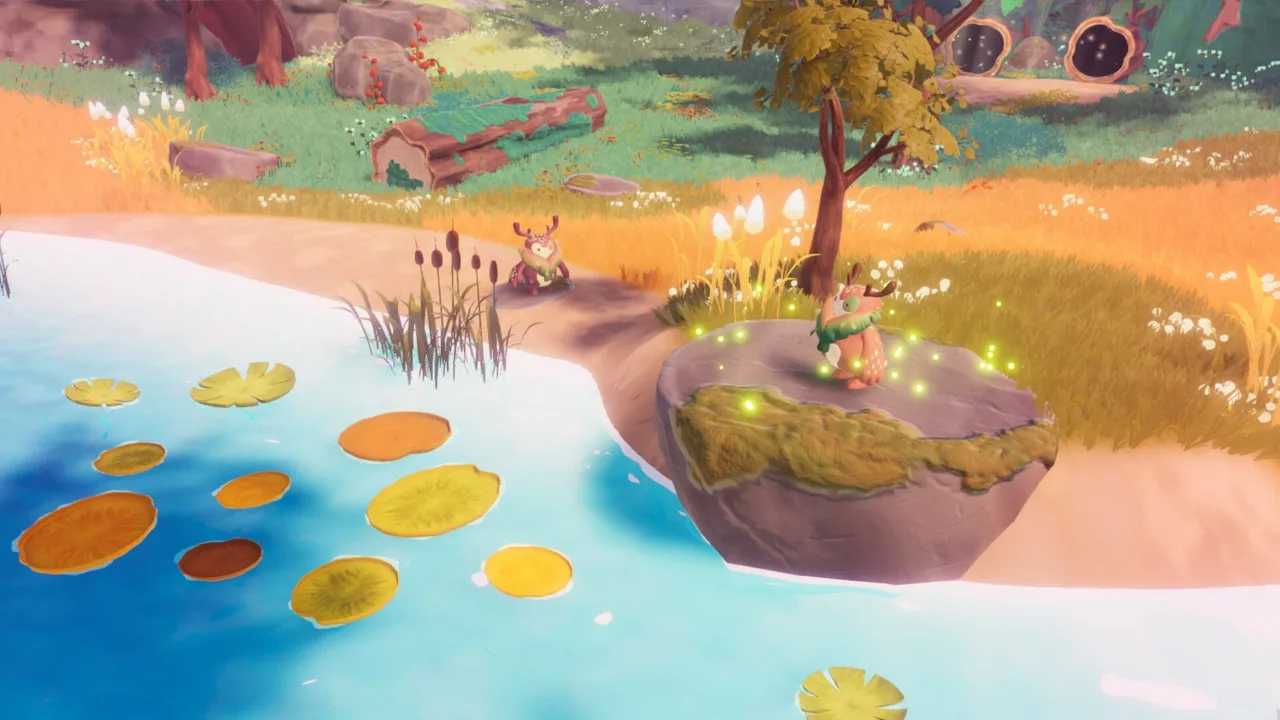
The hub is called The Glade, and it is also referred to as the Clearing. This is where you gather your group.
| Step | What to do | Detail to remember |
|---|---|---|
| Prepare each player | Complete at least the first tutorial level | Every participant needs this progress |
| Reach the hub | Head to The Glade or Clearing | Gather here before starting together |
| Open the invitation interaction | Use the hub’s tree or tree-stump area | Choose “Invite Friends” |
| Join through Steam | Right-click the host’s name in the Steam friends list | Select “Join Game” |
| Assemble the group | Wait together in the Clearing | Let everyone arrive before moving on |
The hub’s invitation interaction connects the in-game setup with your Steam friends list. Use Invite Friends, then have joining players select Join Game from the host’s Steam profile in their friends list.
Stay in the Clearing while friends connect. Older versions had a black-screen issue when joining someone outside the Clearing, and that issue received a fix. Gathering in the hub also keeps the session organized while everyone arrives.
BloomKeeper demo coop compatibility is separate from tutorial access. Completing the introduction unlocks the route into multiplayer, but it does not allow a demo installation to join the full game.
Before sending invitations, run through this short checklist:
- Have everyone launch the demo for a demo session.
- Make sure everyone has completed at least the first tutorial level.
- Gather in the hub.
- Use the invitation interaction and Steam’s Join Game option.
- Wait for the whole group before heading into a map.
BloomKeeper’s co-op is online only, so plan around friends joining through their own game sessions.
What the Updated Demo Lets You Try
The October 9 demo contains the tutorial and two maps. Its purpose is to introduce the current BloomKeeper experience, including the relationship between restoring land and protecting it from the spreading scorched zones.
 Image: resonance-interactive.com
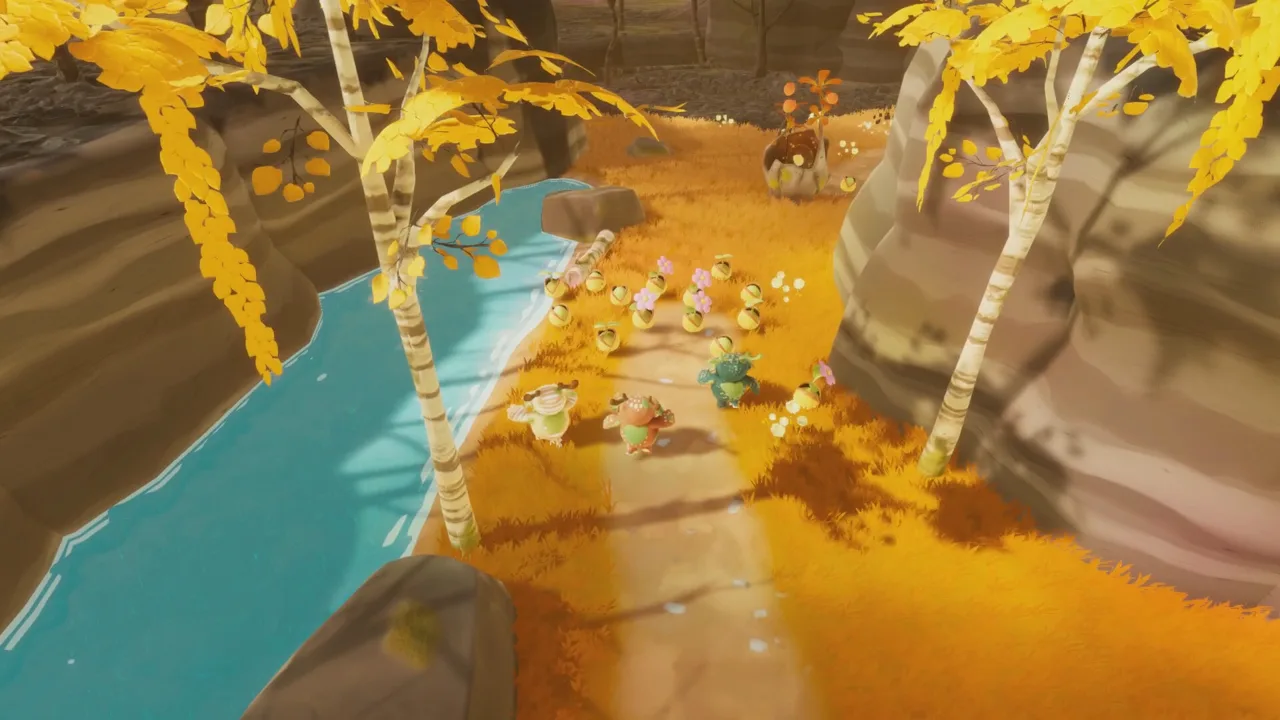
You play as a Guardian guiding Pouics, curious seed-like creatures that help nature return to Hedera. They move around autonomously, so your job involves gathering, redirecting, and protecting them as you work toward important locations.
| Demo element | What you can explore |
|---|---|
| Tutorial | Learn the core restoration and movement mechanics |
| Two maps | Try the restoration loop beyond the introduction |
| Demo-to-demo co-op | Play alongside friends using the demo |
| Pouic guidance | Practice moving creatures toward useful locations |
The central loop gives your group plenty to discuss. Pouics restore the ground, while scorched territory threatens to reclaim it. Opening the way forward matters, but leaving vulnerable areas behind can create more work later.
The Guardian’s main interactions are Nudge, Grab & Throw, and Roll. Nudge steers Pouics toward a direction. Grab & Throw helps them overcome obstacles and reach new places. Rolling lets the Guardian move quickly, but rolling over a Pouic plants it.
Practice these actions during the tutorial. A fast roll through the middle of your group can turn traveling helpers into rooted vegetation before you intended.
Pouics come from Pouicus. Shaking a Pouicus awakens more Pouics, and restoring the landscape brings additional sources of these creatures into play. Growing the colony gives you more helpers to guide, along with more movement to manage.
BloomKeeper demo coop compatibility lets friends sample this shared responsibility before committing to the full adventure. Use the trial to find out whether your group enjoys directing an unpredictable colony while keeping the landscape green.
Coordinate Your Pouics Without Pulling the Group Apart
Extra Guardians give you more hands, but co-op also brings more activity to manage. BloomKeeper’s challenges adapt to the number of players, so adding friends does not simply turn every map into an effortless cleanup.
 Image: resonance-interactive.com
Assign responsibilities around the threats you can actually see. Have one person gather Pouics while another guides the main group forward. Ask another Guardian to watch restored territory or deal with nearby Malpouics.
These are flexible tasks. Swap responsibilities when the colony spreads out or a new problem appears.
Guide Toward the Same Destination
Call out the next objective before everyone starts nudging. Pouics already have their own movement, and Guardians working toward different destinations can make the group harder to organize.
Choose a nearby key point and direct your attention there. Keep the immediate route clear, gather wandering creatures, and help the colony reach that destination before scattering your efforts across the map.
Use Grab & Throw when an obstacle calls for it. Keep Nudge focused on guiding the walking group rather than expecting every creature to follow a precise command.
Protect the Route Behind You
Scorched zones continue spreading, and restored land can become threatened again. Watch the ground behind the main group while other Guardians advance.
Deal with Malpouics, which spread scorched territory, and pay attention to Malpouic Flowers, which continually produce more of them. Ignoring a threat beside your route can leave someone repeatedly repairing the same stretch of land.
Call out a returning threat early. Send a Guardian back while the rest of the group maintains its direction, then regroup when the route is secure.
Watch Where You Roll
Rolling is useful for traveling quickly and planting Malpouics. It also plants friendly Pouics when you roll over them.
Move around the walking colony when you need to reposition without planting its members. Save deliberate rolls through creatures for the moment you actually want that interaction.
BloomKeeper demo coop compatibility handles who can connect; communication handles what happens after everyone arrives. Keep instructions short and specific: name the destination, point out the threat, and say which task you are taking.
Check Edition, Controls, and PC Requirements Before Playing
When a session will not come together, start with the edition and tutorial checks. A friend launching the full game while everyone else uses the demo is a compatibility mismatch.
For a demo session, have the whole group open the demo, finish the required introductory progress, and meet in the Clearing. Recheck those basics before changing unrelated settings.
Check the edition first when reviewing BloomKeeper demo coop compatibility. The game supports controller play and keyboard-and-mouse controls.
| Input option | Supported use | Practical tip |
|---|---|---|
| Keyboard and mouse | Play BloomKeeper | Learn Nudge and Grab & Throw during the introduction |
| Xbox controller | Supported controller option | Check the controls menu before starting |
| PlayStation controller | Supported controller option | Check the displayed prompts and action names |
The developers recommend a controller. Directional guidance is a large part of the game, so spend time getting comfortable with steering Pouics rather than rushing straight into a multiplayer map.
Use the action names in the controls menu when helping friends. Nudge and Grab & Throw previously appeared in the wrong order in that menu, and a hotfix corrected them. Hotfix 1.0.3 also addressed PS4, PS5, and Xbox controller detection.
For Windows PC preparation, the listed minimum requirements include:
- Operating system: Windows 10, 64-bit
- Processor: AMD Ryzen 3 4300G
- Memory: 16 GB RAM
- Graphics: GTX 1660
- DirectX: Version 11
- Network: Broadband internet connection
- Storage: 5 GB available space
Controller support should also be kept separate from handheld compatibility. BloomKeeper’s Steam Deck status is Unsupported; controller support alone does not make it a Deck-ready choice.
Once everyone is ready, download the BloomKeeper demo on Steam and gather in the hub. For a group trying the game together, matching the demo edition is the key BloomKeeper demo coop compatibility requirement.
FAQ
Can BloomKeeper demo players join someone using the full game?
No. BloomKeeper demo coop compatibility allows demo players to play with other demo players. A demo session cannot connect with the full game. If a full-game owner wants to join friends trying the demo, that player should launch the demo too.
How many players can play BloomKeeper together?
BloomKeeper supports online co-op for up to four players total. Coordinate gathering, guidance, and protection duties, because the challenges adapt to the number of players.
How do you unlock multiplayer in BloomKeeper?
All players need to complete at least the first tutorial level. Head to The Glade, also called the Clearing, and use the hub’s invitation interaction. Friends can right-click the host’s name in their Steam friends list and select Join Game.
What does the October 2026 BloomKeeper demo include?
The refreshed demo released on October 9, 2026, includes the tutorial and two maps. It supports co-op between demo players, giving friends a shared introduction to guiding Pouics and restoring Hedera.
Continue with
 BloomKeeper Demo Walkthrough: Exploration and Pouic TipsExplore the BloomKeeper demo's tactical adventure, watch for Pouic risks, and restore regions. Use this walkthrough to get ready for solo or co-op play.
Popular pages
BloomKeeper Achievements: Steam List and Planning Tips
Plan your journey through Hedera with 15 BloomKeeper achievements in mind. Treat the four named achievements as a preview while you plan your next run.
BloomKeeper Beginner Guide: Herd Pouics and Revive Land
Learn the basics of BloomKeeper, from guiding Pouics and using guardian abilities to handling corruption, reading terrain, and choosing your difficulty.
BloomKeeper Release Date: Launch, Price, and PC Guide
The BloomKeeper release date was September 16, 2026. Explore Steam pricing, four-player co-op, the demo, PC requirements, and tips for restoring Hedera.
BloomKeeper Controls: Nudge, Throw, and Roll Explained
Learn BloomKeeper controls for nudging, grabbing, throwing, and rolling. Understand controller prompts and guide Pouics safely across the island of Hedera.
Join the community
Official channels for news, updates and player help: